The blog

Posts

Everything I've written, newest first.

272 posts · page 22 of 31

Technology

The Best Online Training is now Free or $500 off from PluralSight

In an announcement that I just received from INETA, PluralSight On Demand training is now free to INETA user group leaders, $500 less for all INETA user group members, and a one month free pass to User Group members that are currently unemployed. Are you active in your local INETA user group communi
Technology

Google Hosted App Wish – Phone Number Notes

When I type in a phone number, I like to know a little bit of info around that number. Might be an extension, a cell number, a spouse number, notes to call within time zones, etc. Google mail has contacts, and each contact can have as many numbers as you like. Each number also has

Technology

404 Widget Version 1.0.0.3

Tonight I found a minor bug that could potentially not allow the ScottCate.Graffiti.404 Widget to update, if the "Clear 404 Stats" Checkbox was not checked. So, I fixed it, and update the version to 1.0.0.3. This is a minor minor update, and doesn’t change the collection of 404’s, just the ability t

Technology

404 Widget Version 1.0.0.1 / 1.0.0.2

After a bunch of requests, this morning I upgraded my Graffiti 404 Widget, to offer the ability to clear your 404 statistics. After all, if you found a 404 with this utility, then fixed it, it sucks to see it staring back at you forever. Now the widget (as pictured below) has a "Clear on Update" che

Technology

Live Info Casting of #MIX09

Notes from the #Mix09 Key – Newest notes on top. Ready from the bottom up. —— —— @ScottGu – Just announced support for Silverlight 3 outside the browser on win and the mac. Built in auto update support. Dev can change it – update the server – SL3 will auto detect / update / i

Family

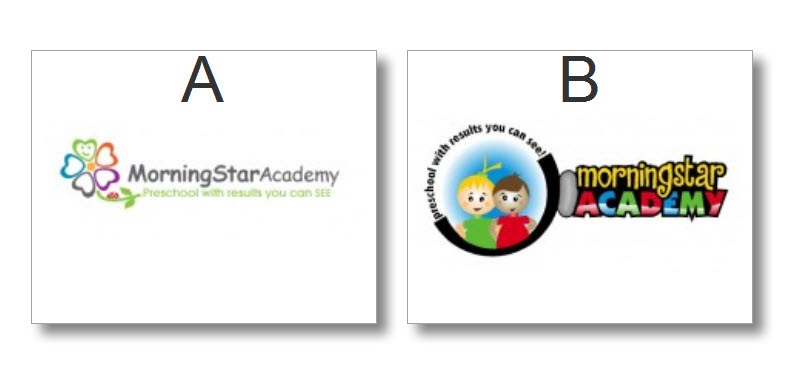
Help us choose a logo for MorningStar Academy Preschool

We’re trying to decide between these two logo’s. Instead of telling you the nit-picky things we like and don’t like, we’d like to ask your opinion. What do you think? Please Leave comments. Thanks, Scott and Jamie. NO CHEATING …. After you choose A or B above, AND &hel

VSTricks

#67 Search in hidden text in the editor?

Ever try to search for something you know exists, BUT … the Quick Find just can’t find it? Is it possible that the text you’re looking for is in a hidden region? This video shows you how toe search hidden text in collapsed regions. [CTRL]+[F] brings up the Find and Replace tool wi

VSTricks

#66 Using Quick find in the Current Document

The standard keyboard shortcut for finding text in most applications is CTRL+F. In Visual Studio, this kicks off a Quick Find in the current document. Quick Find will pre-populate the find what text with whatever text is selected in the editor or the word that the cursor is currently on. Additionall