The blog

Posts

Everything I've written, newest first.

272 posts · page 6 of 31

VSTricks

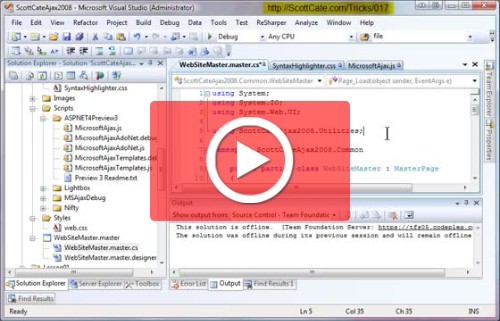
#022 Delete the beginning white space for selected line(s)

Weather you are trying to copy/paste some code into an IM for a friend to look at, or want to better align your source code, you will want to start by removing he white space at the beginning of the line. This quick trick shows you how. [CTRL]+K, [CTRL]+\ = Remove all white space at
VSTricks

#021 Transpose Characters, words, and lines in the editor

Moving text around is something we all need to do frequently. This trick shows you how to transpose characters (which is great for fixing typos), words, and lines with their neighbors. Characters flip with their neighbor to fix a type or spelling error. Words switch left and right to quickly move a

VSTricks

#020 Create New Line; Above and Below your Current Line

Need a new line above what your currently typing? Imagine this walk through. [HOME],[ENTER],[UP]. Three keys to get a new line. There is a shortcut reducing this to two keys. This quick trick shows you two keyboard shortcuts to enter line lines, one for above, and one for below your current focused

VSTricks

#018 Format Document, and Format Selection

Visual studio wants you to be happy 🙂 If you like breaks before braces, and after; if you like self closing <br /> tags, if you don’t want self closing <br /> tags. Whatever your fancy, you can automatically have Visual Studio apply with a very quick keyboard combination. This is extremely helpful

VSTricks

#017 Keyboard Shortcut to Comment and Uncomment Code

Commenting code is great. We all do it, all day long. Commonly I’ll see the following done to comment multiple lines of C# code. [HOME],[/],[/],[UP],[HOME],<Repeat /> This just takes too long. It’s too many keystrokes. This Quick 2 minute video shows you all about commenting, and uncommenting, and e

VSTricks

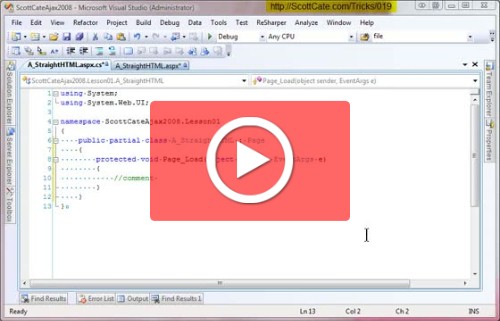
#019 Convert White Space; Spaces to Tabs; Tabs to Spaces.

Have you ever opened someone else’s source code (maybe an open source, code sample, or even other team mate) and the code just isn’t aligned? This can happen because of spaces and tabs. By default, Visual Studio shows a tab as four spaces. So without white space visible (Tricks #003) four spaces, lo

VSTricks

#016 Understanding and Customizing Keyboard Shortcuts

Visual Studio has a ton of Keyboard shortcuts built in. In fact, there are HUGE PDF Prints available for VS2005 C# and Visual Basic, as well as VS2008 C# and VS2008 Visual Basic. If you want to change or add to the current keyboard shortcuts, this video shows you how. Visual Studio 2010 Keyboard Sho

VSTricks

#015 Virtual Space

This is a great option for comments. If you like to write comments, and like them to all line up on the right side of your code, then this trick is for you. The video makes a reference back to showing/hiding white space, which was covered in Trick Number 003.

VSTricks

#014 Word Wrap, and Word Wrap Glyph

Sometimes scrolling to the right for long lines of text hides other text that you want to see at the beginning of the line. Using word wrap allows you to see all text on a line, one the screen at once. Some like it, some don’t – but that’s why it’s an option 🙂